

Navigate
Products
Download
eShop
Upgrade
Overview
Training
Support


Navigate
Products
Download
eShop
Upgrade
About
Training
Support


Freestanding Lace (FSL) refers to embroidery designs stitched onto a water-soluble stabilizer, which is completely washed away once the embroidery is complete. Because no base fabric remains to support the embroidery, the stitches must be strategically digitized to interlock and support one another. Appliqués may occasionally be integrated into FSL, but the integrity of the design primarily relies on the stitch structure itself.
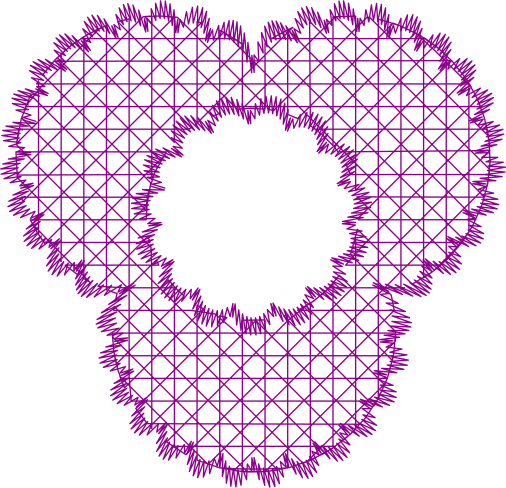
Studio NEXT includes a specialized loose fill designed specifically to serve as a structural background for these projects. This feature, known as the FSL Grid, is a configuration of the Mesh > Net object.
The FSL Grid can be applied to objects of any shape, including those containing holes. Users can select from several grid patterns with adjustable spacing and layer counts via the Parameters window.
Most FSL designs require a reinforced border composed of satin stitches to hold the internal lace structure together. In Studio NEXT, these borders are typically created using the Column tool or the Outline tool set to Satin mode.
Additional decorative elements within an FSL project can be digitized using various methods, such as the Outline tool in Sample mode.
Note: Residual stabilizer typically provides the finished FSL embroidery with its characteristic stiffness. If a higher degree of rigidity is required, the finished piece can be sprayed with a solution of water-dissolved stabilizer and left to dry.