User Account
The Embird User Account is a fundamental component designed to manage user permissions, software access, and subscription status within the Embird NEXT environment. It serves as the bridge linking the Embird installation on a user's device with the subscription and activation management engine on the Embird server.
Access Portal: The User Account Window
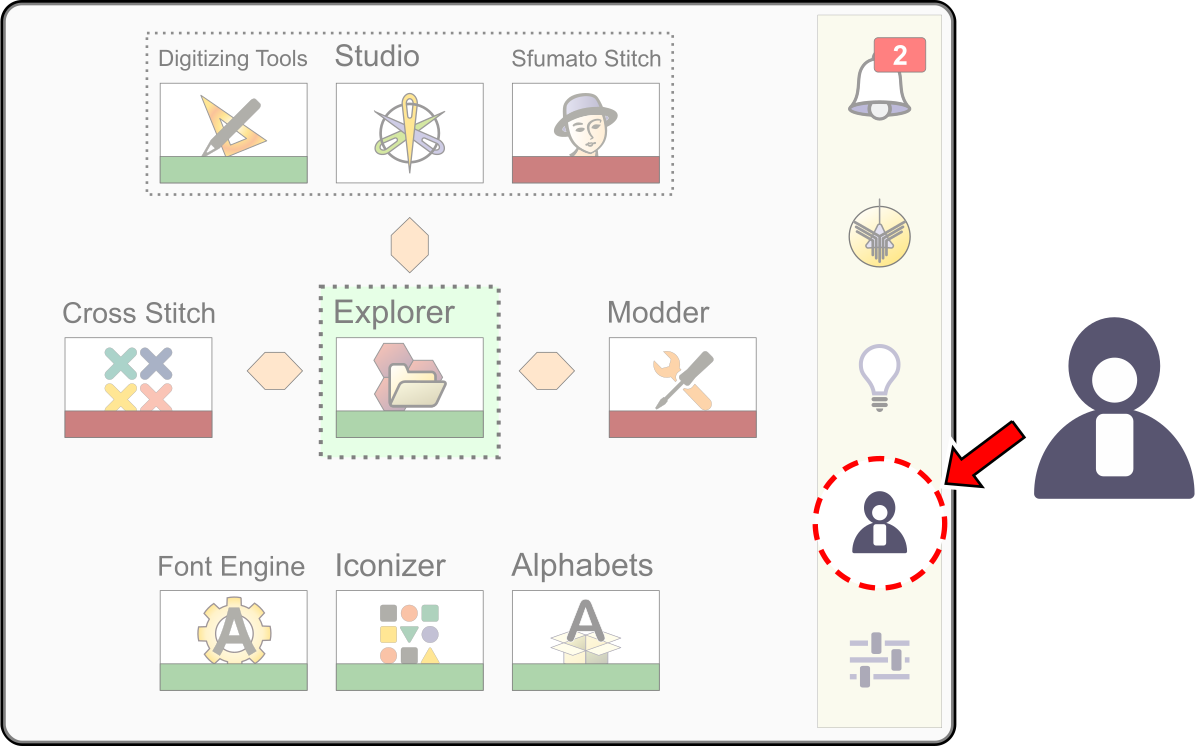
Access to and management of the account are handled through the User Account Window, which is launched directly from the main Embird dashboard via an icon on the button bar.
User Account Window
Account Composition and Purpose
The account encompasses several key data points:
- User Data: Basic identification details, including the user's name and email address.
- Activation Data: Information necessary for licensing and permission validation.
- Module Unlock Data: Permissions that determine which software modules are accessible to the user.
The primary function of the user account is to link the Embird NEXT installation to the server-side subscription and activation engine.
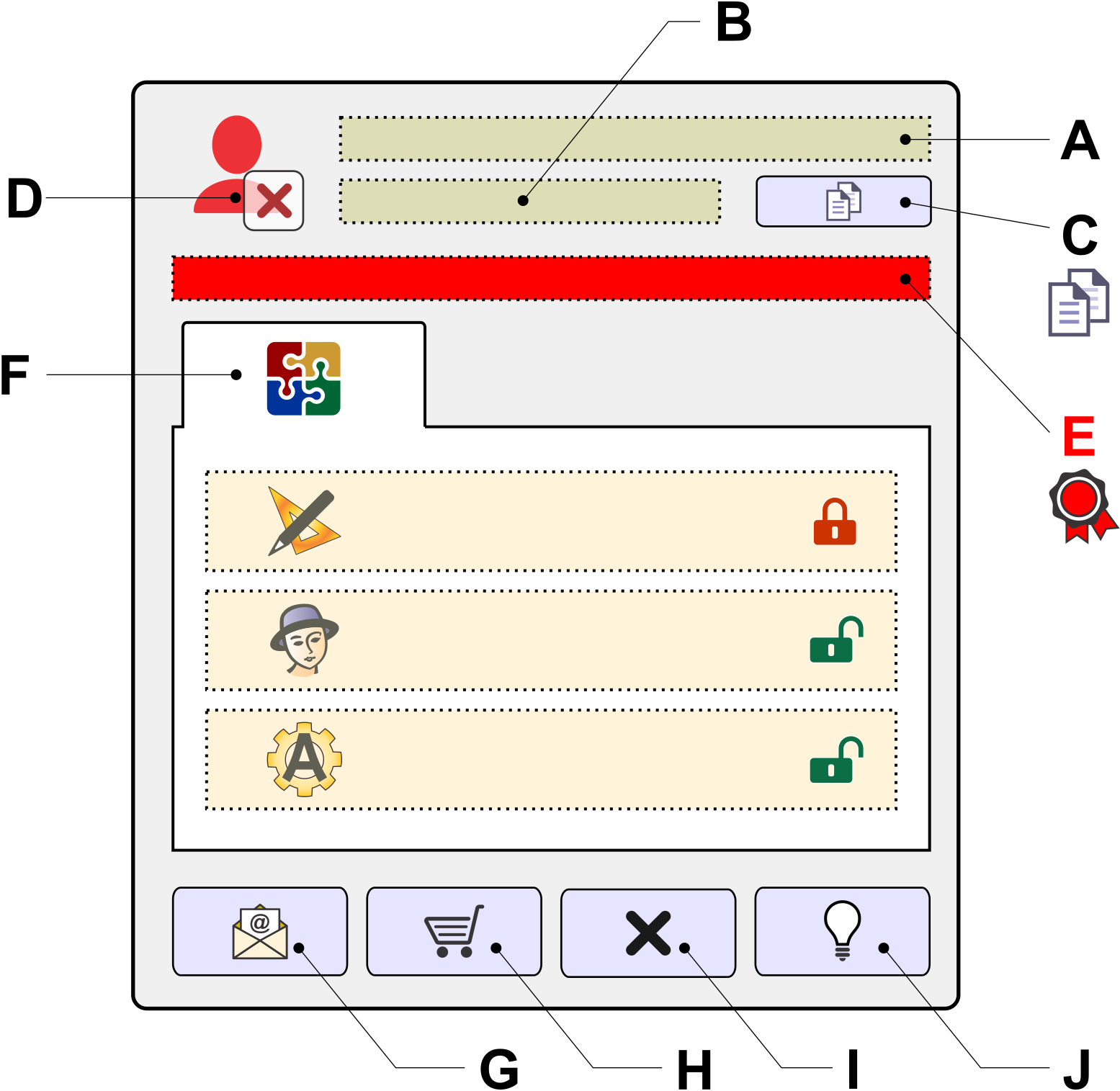
The layout and components of the User Account window are as follows:
A
User Name - Displays the user name associated with the Embird license. This field is populated after successful software activation or account setup.
B
EUID - The Embird Unique ID stamp, which is the specific identifier for the device currently running the Embird software.
C
Copy EUID to Clipboard Button - Copies the Embird Unique Identifier (EUID) to the clipboard for use in external communications, such as email.
D/E
Account Status - An icon (D) and a corresponding caption (E) indicating the current activation state of the user account (e.g., activated or not activated). If the account is activated, the caption (E) also displays the expiration date of the subscription, confirming the license validity period.
F
Module List - A comprehensive list of all available Embird modules. It provides a status indicator (locked or unlocked) showing which modules are currently accessible via the user's license. Modules are unlocked during the evaluation period even if the account is not yet formally activated.
G
Set Up Account Button - Initiates a window to submit the user name, email, and EUID to the Embird server. This action establishes the user account for pairing with support communication and associated payment transactions. If Embird NEXT has not been activated yet, this procedure can be repeated to change the email address.
H
Buy Subscription Button - Launches the web browser and navigates to the Embird e-shop to purchase an initial (Entry) or renewal subscription. If the payment transaction and pairing with user data - specifically the EUID - are successful,
activation is performed automatically, typically within a few minutes.
I
Exit Button - Closes the User Account Window.
J
Help Button - Displays the corresponding chapter on user accounts from the official help documentation.