Embird Embroidery Software
Main Menu
Main Menu
Follow Embird on Facebook
Follow Embird on Twitter
Follow Embird on Instagram
Follow Embird on YouTube
Follow Embird on Pinterest

Affordable Solution

If you are interested in machine embroidery, Embird is a great solution for digitizing new designs and organizing, converting, or customizing existing ones. This affordable software is used by a variety of people, from hobbyists and embroidery shops to advertising agencies and print-on-demand businesses. Its versatility makes it a popular choice for both personal projects and commercial applications.

Compatible with Windows 11 and previous

How to use Embird on Mac (OS X) ?

Machine-Independent Embroidery Software

New Embird 2026 released

Click here to see complete list of what is new in this version.

Highlights

Changes and enhacements include, but are not limited to:

General Enhancements

  • Advanced Slot Storage: The Manager, Editor and Cross Stitch modules now feature color-coded "Slot Storages," designed to simplify the organization of projects containing multiple similar designs, such as team name labels or serialized embroidery sets.

  • Creative Tools in Editor: The Editor module has been expanded to include a wider variety of mesh fills for complex textures and new lightweight outline fonts for minimalist or delicate lettering.
  • Glyph Identikit: to find the proper font for digitizing, the Glyph Identikit utility allows users to locate specific system fonts among thousands by using manually entered visual attributes, such as a "flat top on the letter A" or the overall style of the typeface. Unlike automatic font identifiers that apply matching criteria arbitrarily, Glyph Identikit relies on precise manual criteria selection to ensure accuracy.

    Fonts matching the search criteria can be located on the internet for instant download with a single click. Once downloaded, these matching fonts can be used with the Font Engine module, which automatically converts them into embroidery stitches.


AI Search (Internet)

In multiple dialog windows, an "Internet Search in AI Mode" button has been added next to the standard Help button. This button launches an internet browser with a prompt for an AI to provide information regarding the subject of the dialog window. The AI summarizes relevant information found online. Unlike the Help button, which provides information from local Embird files, the AI Search function retrieves information from the internet.


STUDIO NEXT Module Updates

  • The Mesh Origin point and Effect Focus points for mesh and fill objects can now be moved interactively using the cursor.

  • Increased the number of color swatches in the Color Mixer windows from 26 to 34.

  • Improved the interactivity of switching between selection box modes (move, scale, rotate, and skew), allowing for easier mode switching via the cursor.

  • Introduced a new feature allowing the use of complex patterns (such as stars or triangles) for tie-up stitches. Multi-directional stitch patterns provide a more robust anchor on loosely woven or stretchy fabrics. Users may also override global tie-up stitch settings at the individual object level.

    Tie-Up Stitches
  • Added functionality to the Color Mixer windows to select colors directly from thread catalogs. These colors can be dragged and dropped into quick-access swatches for subsequent use within Studio Next. These color swatches are persistent across sessions.

  • Centralized Thread Control: A new Thread List has been added to the main control panel. This feature summarizes all colors in a design, facilitates matching with thread catalogs, and allows for rapid color changes via the palette or Color Mixer.

  • Increased the speed of the Graphical User Interface (GUI).

  • Improved stitch layout smoothness in sharp corners for column (satin) objects. This reduces the need for manual segmentation of columns and accelerates the digitizing process.

  • Enhanced GUI responsiveness during editing and transformation tasks. This significantly improves workflow speed, particularly when managing complex, large-scale designs with high stitch counts.

  • Revised Help files and improved the PDF export functionality for documentation.

  • Sfumato Color Tuning: The Tune Colors function now applies to individual shades within Sfumato objects rather than just the base color, facilitating more precise adjustments for portrait work.

  • Smart Connections: Introduced the Contour Smart Connection. This path begins at the closest points between objects and follows the target object's outer edge. This is ideal for loose fills (mesh, motifs, or gradients) and can be concealed by a satin stitch zig-zag border.

  • The ability to change the start point of a curve has been expanded from Fill, Mesh, and Sfumato objects to include Outline, Manual Stitch, and Connection objects.

MANAGER Module Updates

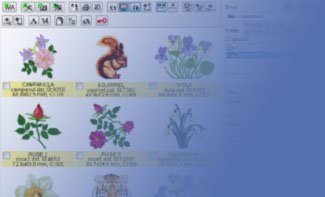
The Manager module in Embird 2026 introduces several automation and logging features designed to improve file tracking and organization efficiency.

New Automation and Logging Options

  • Automatic Folder Access: The option "Options > Automatically > Open output folder when conversion completed" has been added. When enabled, this feature automatically triggers the OS File Explorer to display the destination directory immediately after a file conversion is finalized.
  • Recent Files Tracking: The new "Options > Automatically > Log Recent Files" setting allows the software to maintain a continuous record of accessed designs.
  • System Log: A new "Help > Log" feature has been implemented. This log is generated as an HTML file containing detailed design descriptions and embedded embroidery data. Users can review their activity history and, if necessary, export or download specific designs directly from the log file.

EDITOR Module Updates

The Editor module in Embird 2026 has been significantly expanded with new decorative fill types, advanced typography controls, and an extensive library of raster fonts.

The Editor module also receives significant updates to history management and manual point manipulation.

New Fill and Mesh Options

  • Maze Fill: A new "Maze" fill type has been added to the "Insert > Background Fill" dialog, providing automated generation of labyrinth-style patterns.
  • Expanded Pattern Library: The Mesh Fill dialog now includes over 1,000 new patterns for increased textural variety.
  • Tube Effect: A new "Tube" option in the Mesh Fill dialog allows users to convert simple contours into thicker, dimensional paths that resemble neon tubes or pipelines.

  • Boolean Operations: New buttons for "Back plus Front", "Intersection" and "Back minus Front" have been integrated into the Mesh Fill dialog. These tools allow for masking or combining multiple mesh patterns to create custom geometric shapes.


Typography and Font Enhancements

  • Advanced Outline Text Controls: The "Insert > Simple Outline Text" dialog now includes envelope, overlap, lift, shadow, cut, miltiline text and jittering.

Advanced History Management

  • Undo History Panel: Accessible via Edit > Undo History Panel. This feature displays a chronological list of recent actions. Selecting any state within the panel instantly reverts the design to that specific point in time.
  • Redo History Panel: Accessible via Edit > Redo History Panel, providing a corresponding list for re-applying reversed actions.

Automated Data Recovery

  • Unsaved File Backup: A new toggle is available under Options > Back-up Unsaved Files. When enabled, the software automatically caches unsaved documents in a dedicated directory. These files can be retrieved via File > Open Unsaved. This feature is intended as a session protection. If a file is closed without saving, the work can be recovered.

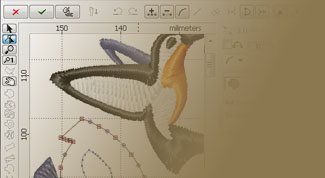
Interactive Node Editing

Enhanced controls have been integrated into Points Editing Mode and Freehand Select Mode.

  • Node Removal: A long press of the left mouse button on an existing node deletes it.
  • Node Creation: A long press or double-click along a stitch path inserts a new point.
  • Note: These interactive features require the Options > More Controls setting to be active.

Object Selection and Transformations

The object selection system has been updated to streamline the transition between different transformation types.

Enhanced Control Options

A new setting, Options > More Controls, has been introduced to the interface. When this option is enabled, a dedicated control handle - represented as a small square or circle - appears at the geometric center of the selection box.

  • Mode Toggling: Clicking this center handle allows the user to switch instantly between Select and Rotate modes without navigating through sub-menus.

Transformation Modes

The behavior of the bounding box handles changes depending on the active mode:

  • Select Mode: In this mode, the corner and side handles are used to scale (resize) or skew the object along a specific axis.
  • Rotate Mode: In this mode, the same handles are used to rotate the object around its anchor point or mirror the object across its axes.
upgrade 2026

FONT ENGINE Module Updates

The Font Engine plug-in in Embird 2026 has been updated with several layout and styling enhancements, providing more granular control over text positioning and visual effects within the "Insert > Font Engine Text" dialog.

New Layout Tab Options

The following features have been integrated into the "Layout" tab to streamline complex typography tasks:

  • Character Overlap Control: The "Overlap" option allows users to define how characters stack or layer upon one another.
  • Vertical Displacement: The "Lift" feature enables the precise vertical adjustment of characters, allowing for the creation of staggered, ascending, or descending text effects along the baseline.
  • Automated Shadowing: A new "Shadow" option has been added, which generates a secondary layer or offset contour to simulate depth and provide a drop-shadow effect to the text.
  • Text Slicing: The "Cut" utility allows for the application of horizontal or vertical breaks across the text. This tool is useful for creating decorative gaps or dividing letters for multi-color effects.

Note: Unlike the Simple Outline Fonts in the Editor, the fonts used with the Font Engine are generated with Satin or Tatami fills. These new functions - such as shadowing and slicing - operate directly on these filled font types.

upgrade 2026

CROSS STITCH Module Updates

The Cross Stitch plug-in in Embird 2026 has been updated to include advanced text manipulation tools and an expanded font library, specifically within the "Insert > Simple Outline Text" dialog. These additions allow for more creative flexibility when incorporating lettering into cross-stitch patterns. Also, the Cross Stitch plugin has been updated to align with the core Manager and Editor navigation standards.

Embroidery Digitizing

We, authors of Embird, are digitizers ourselves. We build our software functionality on our own first-hand digitizing and customizing experience.

What is Embroidery Digitizing?

Computerized embroidery machines use special input files that instruct them how to sew out the embroidery on a fabric. These input files are digital stitch files, called embroidery designs. Creation of the embroidery design from artwork, photo or from imagination is called embroidery digitizing.

Start digitizing your own embroidery designs today, we offer a 30-days free trial.

Utilize our powerful tools for your creative embroidery designs digitizing, editing, customization, conversion, lettering and cross stitch. Scale and resize your designs, separate, edit, display, print and convert photos and other images into machine embroidery designs.

Machine Embroidery Knowledge Base

Feedback

Embird is modular software for computerized machine embroidery digitizing, quilting and customization

Developed by BALARAD, s.r.o. company since 1997

e - m a i l :  e m b i r d @ e m b i r d . n e t
p h o n e :  + 4 2 1 9 1 1 3 7 3 3 5 6