

Navigate
Products
Download
eShop
Upgrade
Overview
Training
Support


Navigate
Products
Download
eShop
Upgrade
About
Training
Support


Thred is a versatile and affordable digitizing program, developed by Thredworks. It can be used with Embird, or as a standalone application. More information, demo, registration, and support for Thred are available at http://www.thredworks.com. Please note that Thred is not developed nor sold by Embird.
1 - Run Embird and click the "Editor" menu to switch to the Editor window.
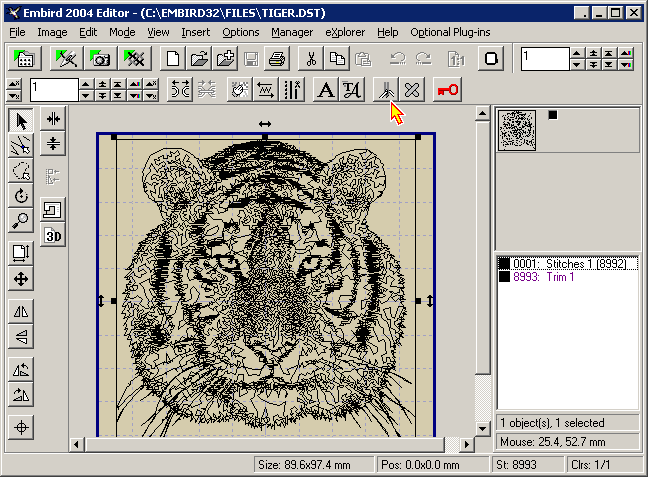
2 - If you want to digitize a brand new design in Thred, select the "Insert -> 3rd party - Thred Design" menu (or click the "3rd party - Insert Thred Design" button) (Picture No. 1).
Picture No. 1
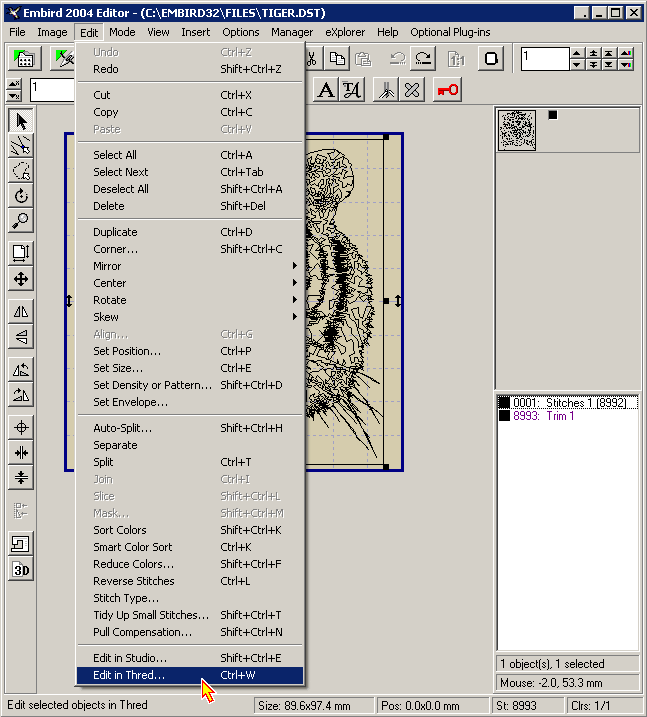
3 - If you want to edit an existing design in Thred, open it first in the Editor using the "File -> Open" menu and then select the "Edit -> Edit in Thred" menu (Picture No. 2).
Picture No. 2
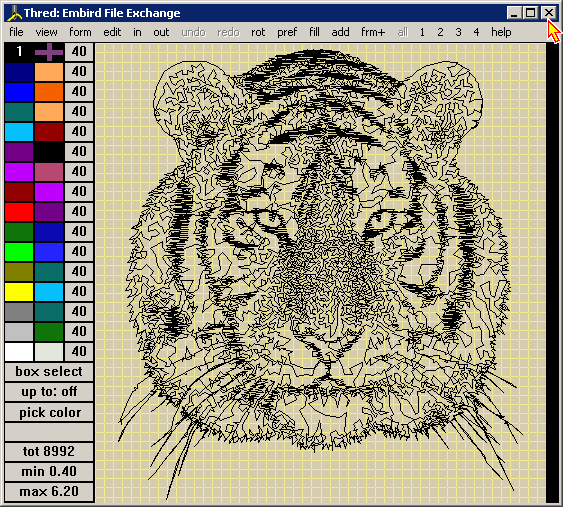
4 - Once you are finished with editing in Thred, save the changes using the "File -> Save" command and close Thred (Picture No. 3). The Embird Editor window will appear on the screen, showing the design which was created (or modified) in Thred.
5 - You will have to save the changes in Embird as well, otherwise they are ignored. Use the "File -> Save As" command to save the modified design to a file on your disk. Specify the format and the file name of the new design in the dialog boxes which appear on the screen.
Picture No. 3
Back to Embird Tutorial Contents
Developed by BALARAD, s.r.o. company since 1997