

Navigate
Products
Download
eShop
Upgrade
Overview
Training
Support


Navigate
Products
Download
eShop
Upgrade
About
Training
Support


If you encounter problems during installation of Embird (or its plug-in) in Windows Vista, please disable User Account Control (UAC) setting as explained in this tutorial. Once the installation is finished, you should enable UAC. See more information about UAC in Windows Vista.
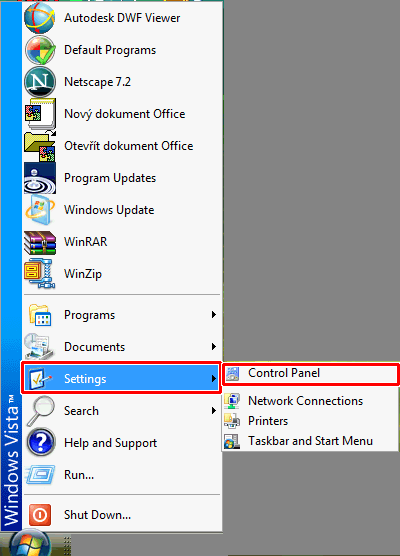
1 - Click "Start > Settings > Control Panel" menu (Picture No. 1).
Picture No. 1
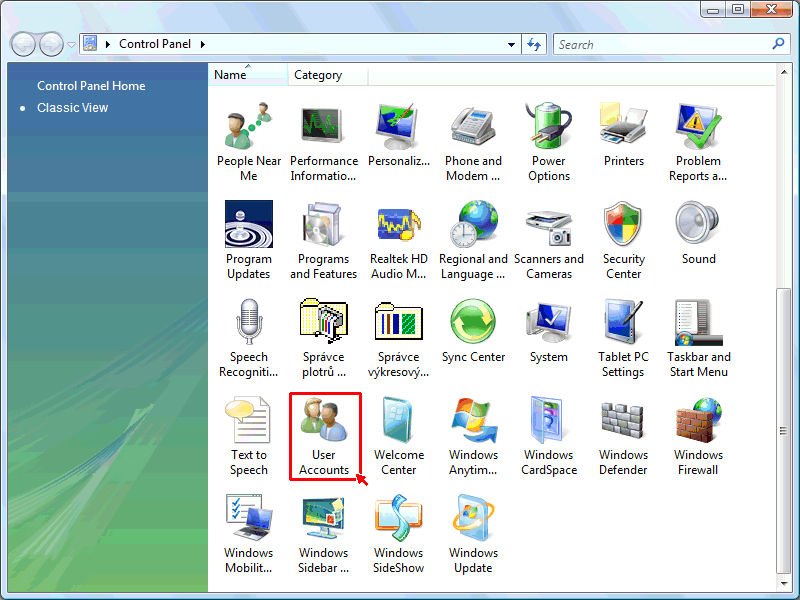
2 - Double-click the "User Accounts" icon (Picture No. 2).
Picture No. 2
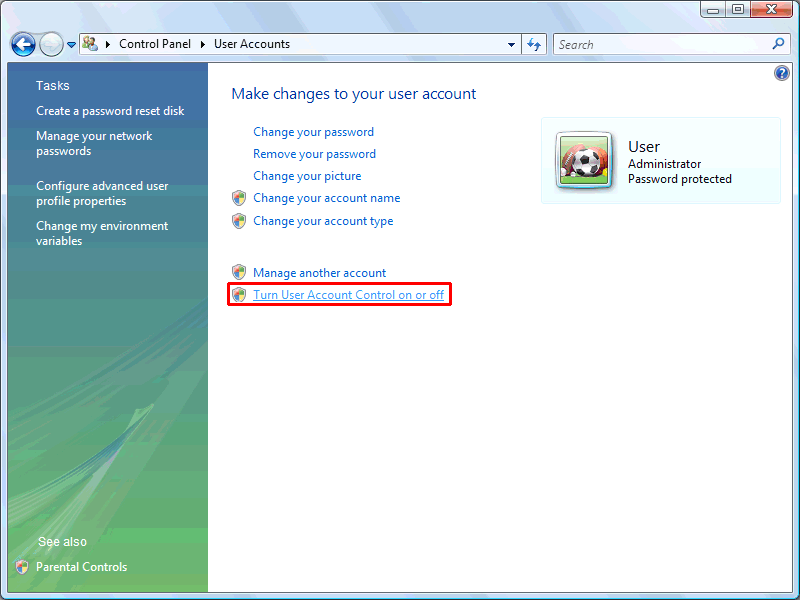
3 - Click the link "Turn User Account Control on or off" (Picture No. 3).
Picture No. 3
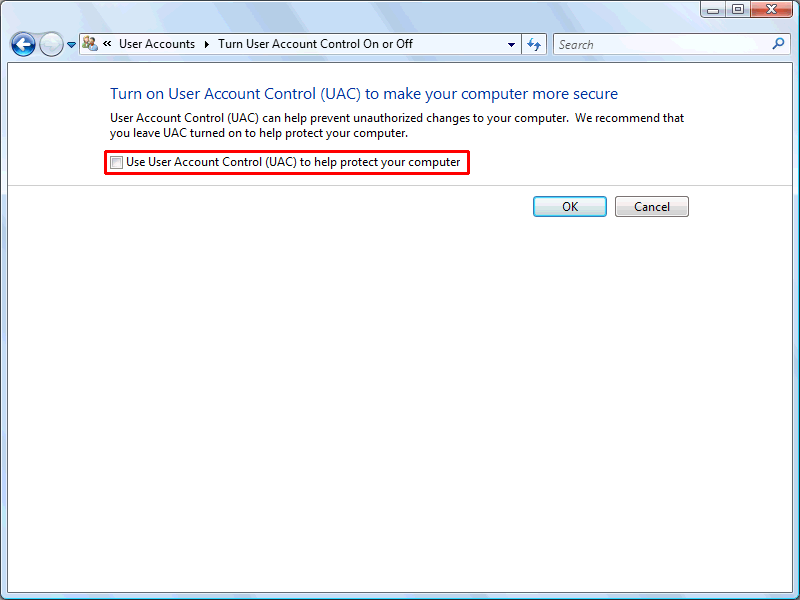
4 - Switch OFF the option "Use User Account Control (UAC) to help protect your computer" (Picture No. 4) and confirm this setting - click "OK" button.
Picture No. 4
Back to Embird Tutorial Contents
Developed by BALARAD, s.r.o. company since 1997